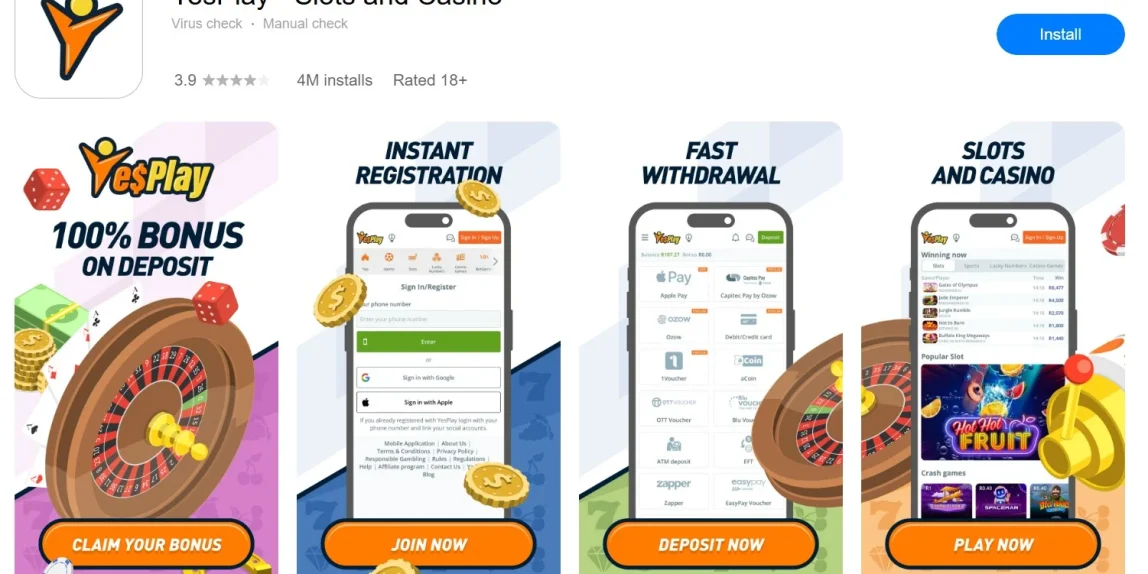
YesPlay makes it easy to access your account from your phone, whether you’re interested in sports betting, online games, Lucky Numbers, Aviator or live dealer games. Instead of opening the website in your browser every time, regular players can use the YesPlay app for quicker access to their account.
The YesPlay app is free to download, and once installed you can use the same account and balance you already use on the main website. There’s no need to create a second YesPlay account just because you’re moving from desktop or mobile web to the app.
Android users can download the YesPlay APK, while other supported devices may have their own installation options. In this Betting Babes guide, we’ll explain how to download the YesPlay app, install the Android APK, login to your account and fix some of the most common installation problems.

YesPlay App Download
If you’re using an Android phone, the YesPlay APK allows you to install the betting app directly onto your device. The important thing here is where you get the file. We strongly recommend downloading any betting APK directly from the betting operator rather than searching Google for random third-party APK websites.
To download the YesPlay app on Android:
- Open the official YesPlay website at www.yesplay.bet on your Android phone.
- Find the Android app download option.
- Tap the download button to start downloading the YesPlay APK.
- Wait for the APK file to finish downloading.
- Open the downloaded file.
- Give your phone permission to install the app if requested.
- Tap Install.
- Once installation is complete, open YesPlay.
- Login using your existing YesPlay account or register if you’re a new customer.
The installation itself should only take a few minutes on most modern Android phones.

How to Allow the YesPlay APK Installation
Android phones normally block apps downloaded outside their regular app store unless you specifically give permission for them to be installed. The wording varies depending on the phone you’re using, but Android will usually prompt you when you try to open the YesPlay APK.
You may be asked to allow your browser to Install Unknown Apps or Allow Apps From This Source. Enable the permission for the browser you used to download YesPlay, return to the APK and continue the installation.
Once YesPlay has been successfully installed, you can disable the permission again if you prefer.
Don’t simply enable every unknown-app permission on your phone. Only allow the browser or application you’re actually using to install the official YesPlay APK.
YesPlay App for iPhone and iPad
The process is different if you’re using an iPhone or iPad because Apple devices don’t use Android APK files.
If YesPlay provides an iOS App Store download for your device, follow the official iOS link provided through YesPlay or search the South African App Store for the relevant YesPlay application.
From there, installation works like a normal iPhone app. Select Get, authenticate the download using Face ID, Touch ID or your Apple ID credentials, and wait for the application to install.
Once installed, open YesPlay and login using the account details you already have.
If an iOS application isn’t available for your device or App Store region, you can still use the YesPlay mobile website through Safari. You don’t need an app to access your account.
YesPlay App for Huawei
Huawei users may also have an alternative installation route through AppGallery where supported.
Open AppGallery and search for YesPlay. If an official listing is available, select Install and allow the download to complete.
Alternatively, visit YesPlay through your Huawei browser and look for the appropriate mobile download option provided by the site.
If an AppGallery version isn’t available, compatible Huawei phones may still be able to use the Android APK. Again, only download the APK through the official YesPlay website rather than an unofficial APK repository.
Login to the YesPlay App
Already registered? Don’t open another account. Your existing YesPlay account can be used when accessing the platform from another supported device. Open the app and use the login method associated with your account.
YesPlay supports different ways of accessing an account, including the registered cellphone number and supported social login options such as Google, Facebook or Apple.
If you originally registered using one of those services, use the corresponding login method when accessing the app.
Players who have forgotten their details can use the account recovery options rather than registering again. If you find you are still having problems try do a Yesplay Login from your phones browser.
What Can You Do on the YesPlay App?
The main reason for installing a betting app is convenience. Instead of opening your browser, searching for the website and logging in each time, YesPlay is sitting directly on your home screen.
Once you’re logged in, you can access the main sections of the YesPlay platform, including sports betting, live betting, online games, Lucky Numbers and Aviator.
You can also access your account balance and available banking and account-management features.
For players who use YesPlay regularly, that’s where the app makes the most sense. If you only visit occasionally, however, the mobile website may already give you everything you need.
YesPlay App vs Mobile Website
You don’t actually need to download the YesPlay app to use YesPlay from your phone.
The mobile website provides another way to access the platform directly through Chrome, Safari or another compatible browser. You simply visit YesPlay and login to your normal account.
For occasional users, we’d probably stick with the mobile website. It doesn’t take up additional storage space, there’s nothing to install and you don’t have to worry about keeping an APK updated.
Regular YesPlay users may prefer the app because it’s available directly from the phone’s home screen and provides a more dedicated experience.
Both options ultimately connect you to your YesPlay account, so choosing between them mostly comes down to personal preference.
YesPlay APK Won’t Install
If you’ve downloaded the YesPlay APK but Android refuses to install it, there are a few things worth checking before downloading the file again.
First, make sure you’ve allowed APK installations from the browser you used to download the file. Without this permission, Android will normally block the installation.
Next, check your available storage. If your phone is nearly full, delete some unnecessary files or applications and try again.
An older version of YesPlay may also interfere with a new installation. If you’re updating the app and continually receiving an installation error, check whether an existing version is already installed.
Finally, delete the downloaded APK and download a fresh copy directly from YesPlay. An interrupted download can sometimes leave you with an incomplete installation file.
YesPlay App Download Is Slow or Stuck
A slow download is normally a connection issue rather than a problem with your YesPlay account.
Try switching between mobile data and Wi-Fi, particularly if the download hasn’t moved for several minutes.
You can also cancel the download, refresh the YesPlay website and start again. Trying another browser may help if the problem continues.
If you’re downloading over mobile data, remember that an app installation uses considerably more data than simply loading a betting webpage. Wi-Fi is generally the better option when available.
YesPlay App Keeps Crashing
If YesPlay installs successfully but keeps closing or freezing, start by restarting your phone.
You can also close unnecessary applications running in the background and clear the YesPlay app cache through your Android settings.
If the app hasn’t been updated for a while, check whether a newer version is available. Android APK users may need to download an updated installation file from YesPlay when a new version is released.
If nothing works, uninstalling the app and installing a fresh version may solve the problem.
Your YesPlay account and balance aren’t stored only inside the application, so reinstalling the app shouldn’t mean creating another betting account.
Can’t Login After Downloading YesPlay?
Installing the app doesn’t change your account credentials.
If you can login through the YesPlay website but not through the app, double-check that you’re using exactly the same account information and login method.
Players who originally registered through Google, Facebook or Apple should try the same sign-in option rather than assuming their cellphone number and a guessed password will work.
If you’ve forgotten your password, use YesPlay’s password recovery process.
If the problem continues, try logging into YesPlay through your mobile browser. If the website login works but the app doesn’t, you’ve immediately narrowed the problem down to the application rather than the account itself.
How to Update the YesPlay App
Keeping the YesPlay app updated is important because newer versions can include bug fixes, compatibility changes and other improvements.
If your version was installed through an official app store, updates can normally be managed through that store.
Android users who installed YesPlay using an APK may need to return to the official YesPlay website and download the latest available version.
Before deleting anything, check the instructions provided by YesPlay for the current version. Your betting account remains associated with your registered details rather than the installation file itself.
Is the YesPlay App Safe?
The safest approach is simple, only download the YesPlay application through an official YesPlay download route.
Avoid websites offering “modded”, “premium”, “unlocked” or unofficial versions of betting APKs. There’s no reason to install a modified betting application, particularly when you’re going to be entering account and banking information.
YesPlay is operated by SA Sportsbook (Pty) Ltd and licensed by the Western Cape Gambling and Racing Board under licence number 10180204-010.
As an extra precaution, keep your phone protected with a PIN, fingerprint or facial recognition and don’t share your YesPlay login information with anyone.
Betting Babes’ Thoughts on the YesPlay App
If you’re regularly using YesPlay from your phone, having the platform sitting directly on your home screen is certainly more convenient than finding the website every time you want to login.
Android users have a few extra installation steps because an APK may need permission before Android will install it, but once that’s sorted, the process itself is straightforward. Just make sure you’re downloading the official YesPlay APK rather than grabbing a similarly named file from a third-party website.
For casual users, there’s also nothing wrong with skipping the app completely. The YesPlay mobile website gives you another easy way to access your account without using additional phone storage.
Whichever route you choose, your YesPlay account remains the same. Don’t register a new profile simply because you’ve installed the app on another device.
For more South African betting guides, app downloads and betting content, keep exploring Betting Babes.
Frequently Asked Questions
How do I download the YesPlay app?
Visit YesPlay from your phone and use the official download option provided for your device. Android users may be provided with an APK file that needs to be installed manually.
Is the YesPlay app free?
Yes. You shouldn’t have to pay to download the official YesPlay betting app.
How do I install the YesPlay APK on Android?
Download the APK through YesPlay, open the downloaded file and allow your browser to install unknown apps if Android requests permission. You can then complete the installation.
Why won’t the YesPlay APK install?
Check that you’ve allowed installation from the browser used for the download and make sure your phone has enough available storage. You can also delete the APK and download a fresh copy if the original file was incomplete.
Can I use YesPlay without downloading the app?
Yes. You can access YesPlay through your mobile browser and login to the same account without installing an application.
Can I use my existing account on the YesPlay app?
Yes. Use your existing YesPlay account rather than registering another one when you install the application.
Does YesPlay work on iPhone?
YesPlay can be accessed from an iPhone through its mobile website. Where an official iOS application is available for your device and region, follow YesPlay’s official iOS download route.
Can Huawei users download YesPlay?
Huawei users can check AppGallery for an official YesPlay listing or follow the mobile download options available through YesPlay. Compatible devices may also support the Android APK.
Is the YesPlay APK safe?
Only download the APK from an official YesPlay source. Avoid third-party APK websites and modified versions of betting applications.
How do I update YesPlay?
Store-installed versions can normally be updated through the relevant app store. If you installed an Android APK directly, check YesPlay for the latest official version.